
EzCreate · AI image tools
AI Coloring Page Generator
A good coloring page is a design problem, not just an illustration. The lines need to be clear, the shapes need to be large enough for a child to fill, and the page needs enough empty space to color. Image models can produce attractive line art, but they often add gray shading, tiny details or broken outlines unless you ask for print-friendly constraints.
- Prompt for clean black outlines, a pure white background, no shading and large simple shapes. Those four details matter more than the subject.
- Print one test page before making a whole book. Line thickness and small details look different on paper.
- Use original characters and generic themes. Copyrighted characters cannot be redistributed just because you generated the line art.
You can open the editor for free and start with a photo or a prompt. Sign in to claim the daily preview credits; downloads and higher resolution use purchased credits.
Quick answer
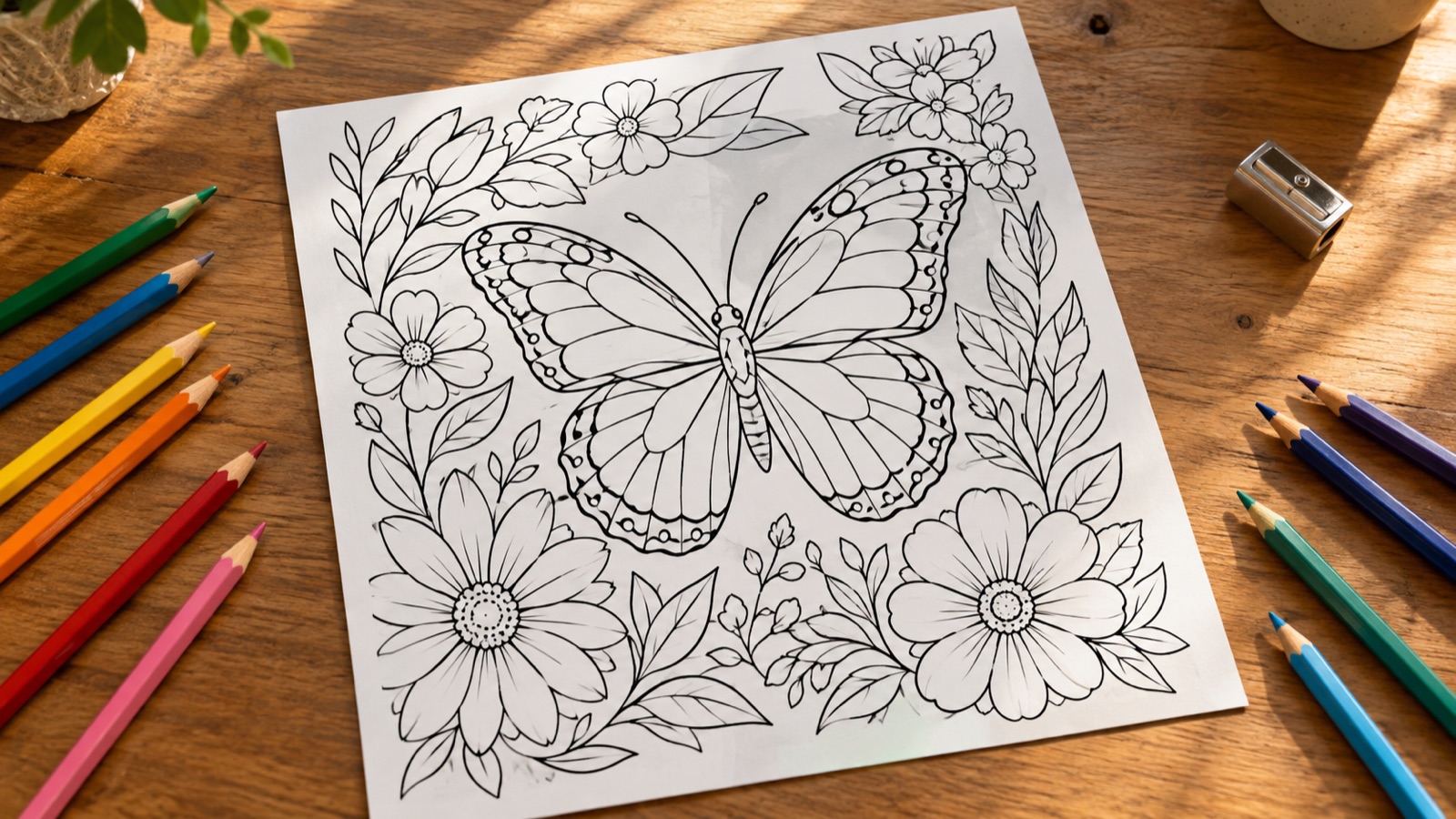
The preset below is written for a printable children’s page. It asks for black outlines on white, no shading and simple shapes. Generate a test page, print it at the final size and color a small section yourself before you commit to a set. If you plan to sell or distribute the pages, use original themes and check the model provider’s terms.
What this tool does
Creates printable line art
Produces black outlines on white with large shapes, ready for crayons, pencils or markers.
Keeps the page simple
The prompt removes shading and tiny details that make a page frustrating for young children.
Works as a repeatable series
Reuse the same style and line weight to build a consistent set of pages.
How to use the AI Coloring Page Generator
1. Choose one clear subject
A single animal, vehicle or scene is easier to color than a crowded composition. Add a simple background only if it supports the subject.
2. Generate and print a test
Run the preset, then print one page at the intended size. Check line thickness, white space and whether the shapes are large enough.
3. Refine the set
Keep the same prompt structure and palette of line weights across a set. Add a title and instructions in a layout tool if needed.
Prompt recipe
This is the preset behind the example. Apply it to the editor below, or copy it into your own model. Change one detail at a time so you can tell what helped.
Create a printable coloring page of a butterfly surrounded by wildflowers. Clean black outlines on a pure white background, no shading, no gray fills, large simple shapes for children, balanced composition, high contrast. No text, no letters, no watermark.Try it in the real editor
Describe your idea, apply the preset and press Generate. The editor shows the current credit cost before anything runs. Results vary by source photo and model; check the face, hands and fine edges before you use the output.
What it does well, and where it stops
- AI line art can have broken outlines, gray fills or tiny details. Inspect and clean up before printing.
- It is not a vector file. For a professional book, trace or recreate the line art in a vector editor.
- Do not use copyrighted characters or another artist’s exact style for pages you distribute or sell.
Who it is for
Classroom and home activities
Create a themed page for a lesson, a party or a rainy afternoon.
Activity books
Build a consistent set of original pages for a printable activity book.
Therapy and mindfulness
Generate simple, calm line art for adult coloring, with larger shapes and less detail.
Frequently asked questions
- Are the coloring pages printable?
- Yes, once you export a high-resolution image and print it at the intended size. Print one test page first, because line thickness and small details look different on paper.
- Can I use the pages in a classroom?
- Generally yes for your own class if the artwork is original and your school’s policy allows AI-generated material. Do not redistribute copyrighted characters or another artist’s work.
- Can I sell a coloring book made with AI?
- You need to own or license every element and follow the model provider’s terms. Use original themes and check whether the platform where you sell allows AI-generated content.
- How do I get thicker outlines?
- Ask for “thick, bold black outlines” and “large simple shapes for young children”. If the result is still too detailed, regenerate with a simpler subject.
- Is it free to try?
- You can open the editor and upload a photo for free. Sign in to claim the daily preview credits; downloads and higher resolution use purchased credits.
Sources
These links open the source’s own site. Rules and prices change; check the current official page before you rely on a detail.
Try the editor before you buy credits
Describe your idea and run the preset in the editor above. Sign in to claim the daily preview credits; larger runs, downloads, 2K or 4K output and saved history use purchased credits.
Related tools and guides
AI Sticker Maker
Generate an original character or icon, then prepare a clean sticker PNG.
T-Shirt Design Generator
Create an original shirt graphic, then prepare a clean, larger print file.
Remove an Object From a Photo
Erase a distraction and rebuild the background with matching texture.
How to make a printable coloring page with AI
Read the full guide, then come back to the same editor.
All AI image tools
Compare every focused tool and choose the one that matches the job.