
EzCreate · AI image tools
AI Hair Changer
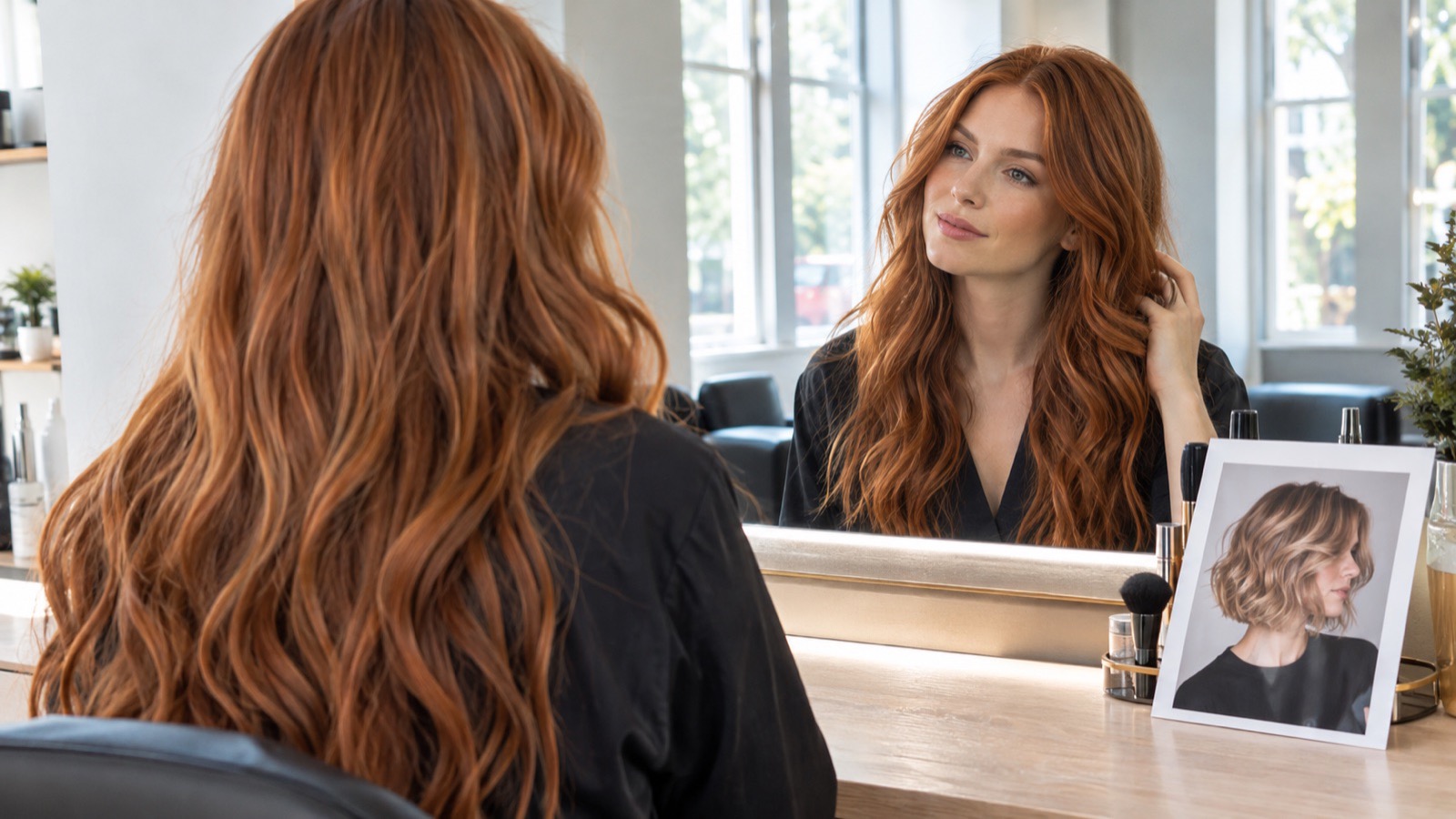
Changing your hair is a high-consequence decision, which makes a preview genuinely useful. A photo edit lets you see how a fringe, a bob or a strong color might frame your face before you commit. The useful version of this tool keeps your face, skin tone and expression intact and changes only the hair.
- The face should stay the same; only the hair should change. Say that explicitly and check the hairline, ears and shoulders afterward.
- Describe cut, color and length as separate details. “Curtain bangs, shoulder-length, copper balayage” works better than “new hair”.
- This is a preview, not a guarantee. A stylist still needs to assess your hair texture, density and history.
You can open the editor for free and start with a photo or a prompt. Sign in to claim the daily preview credits; downloads and higher resolution use purchased credits.
Quick answer
The prompt below is intentionally strict about identity. Image models can drift: they may change the shape of your jaw, smooth your skin or make you look ten years younger along with the new hair. Compare the result with the original at full size, and regenerate if the person in the photo is no longer you. A salon consultation is still the right place to discuss whether the look suits your real hair.
What this tool does
Previews cut and color
Test a fringe, length or color before a salon appointment, using your own face and lighting.
Protects the face
A strict identity clause tells the model to change the hair, not the person.
Works from one photo
A clear, front-facing photo with the hair pulled back gives the model the most room to work.
How to use the AI Hair Changer
1. Choose a clear photo
Use daylight, a front-facing expression and no hat or heavy filter. If your hair is tied back, the model can build a new shape more cleanly.
2. Describe three things
Name the cut, the color and the length. Add a reference style only if it is a generic description, not a celebrity’s exact look.
3. Check identity and edges
Zoom in on the hairline, ears, neck and shoulders. If the face changed, lower the edit strength or regenerate with a simpler request.
Prompt recipe
This is the preset behind the example. Apply it to the editor below, or copy it into your own model. Change one detail at a time so you can tell what helped.
Edit the hairstyle in this portrait. Change the hair to a shoulder-length copper balayage with soft layers and curtain bangs. Preserve the person’s face, skin tone, expression, age, head shape and body. Keep realistic hair texture, a natural hairline and matching lighting. Do not change clothing or background. No text or watermark.Try it in the real editor
Upload a photo, apply the preset and press Generate. The editor shows the current credit cost before anything runs. Results vary by source photo and model; check the face, hands and fine edges before you use the output.
What it does well, and where it stops
- Hair edits can change the face, skin texture or age. Always compare with the original.
- It does not know your hair’s density, curl pattern or color history, so the preview may be impossible to achieve in one appointment.
- Do not use someone else’s photo without permission, and do not present an AI preview as a real result.
Who it is for
Salon consultation
Bring two or three previews to a stylist and ask what is realistic for your hair.
Color curiosity
See how a copper, ash or dark brown tone might look before a big change.
Content and character design
Explore hairstyles for a character or a costume, using a model or your own photo with consent.
Frequently asked questions
- Will the AI hair changer keep my face the same?
- It should, but it often changes small details. The prompt explicitly protects identity; still compare the eyes, nose, jaw and skin texture with the original before trusting the preview.
- Can I try a specific celebrity’s haircut?
- Describe the shape generically, such as “short French bob with a blunt fringe”, instead of naming a person. Copying a real person’s exact look can raise publicity and likeness issues.
- Can it show curly or coily hair?
- It can, but results vary by model and source photo. Describe the curl pattern, volume and length explicitly, and expect to regenerate a few times.
- Is this a real salon consultation?
- No. It is a visual preview. A stylist needs to feel your hair’s texture and history before recommending a chemical service.
- Is it free to try?
- You can open the editor and upload a photo for free. Sign in to claim the daily preview credits; downloads and higher resolution use purchased credits.
Try the editor before you buy credits
Upload one photo and run the preset in the editor above. Sign in to claim the daily preview credits; larger runs, downloads, 2K or 4K output and saved history use purchased credits.
Related tools and guides
AI Headshot Generator
Turn a clear selfie into a professional portrait for work profiles.
Passport Photo Generator
Draft a passport-style portrait, then check it against official rules.
Colorize a Black and White Photo
Add natural, period-aware color to a black and white family photo.
What makes an AI portrait still look like you
Read the full guide, then come back to the same editor.
All AI image tools
Compare every focused tool and choose the one that matches the job.