
EzCreate · AI image tools
Passport Photo Generator
A passport photo looks simple and is surprisingly easy to get wrong. The head must sit inside a precise area, the background must be plain, the expression must be neutral, glasses and shadows are restricted, and some countries reject even a slight smile. A home photo can be a good starting point, but the final file has to match the rules of the authority that will receive it.
- Passport rules are set by the issuing authority, not by the photo editor. Size, head height, background, expression and glasses rules vary by country.
- AI retouching can make a photo look cleaner and also make it unacceptable. Do not change facial features, remove permanent marks or beautify the face.
- Use the result as a drafting tool, then verify it against the official checklist before submitting.
You can open the editor for free and start with a photo or a prompt. Sign in to claim the daily preview credits; downloads and higher resolution use purchased credits.
Quick answer
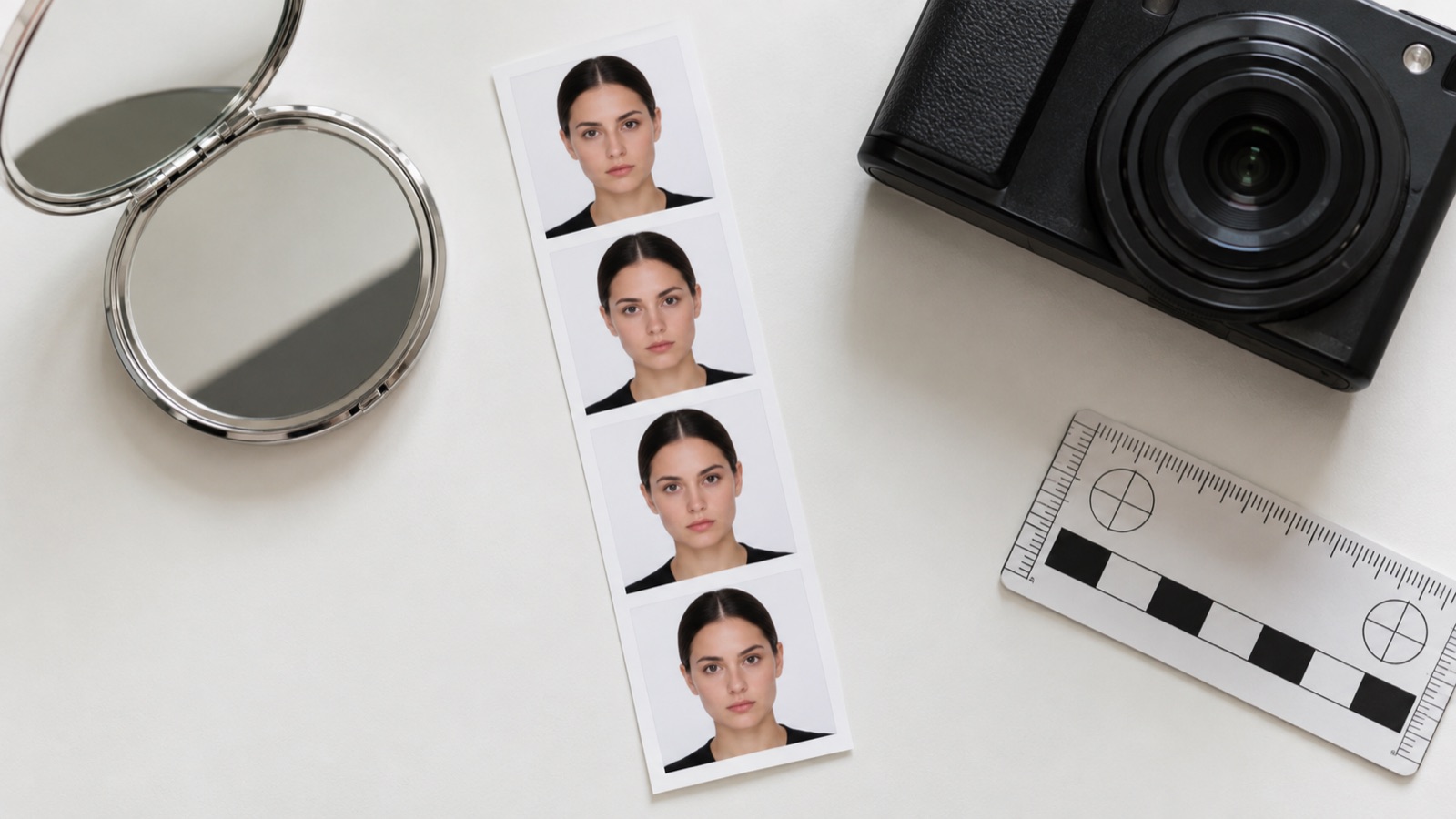
The preset below creates a clean, front-facing passport-style portrait while protecting the person’s identity. It is not a compliance certificate. Before you print or submit, measure the head height, check the background and read the current official guidance for your document. If the rules say no digital alteration, use an unedited photo instead.
What this tool does
Cleans up the setting
Replaces a busy background with a plain, even backdrop and improves lighting without changing the face.
Guides the pose
Asks for a straight-on, neutral expression with the head and shoulders inside the frame.
Protects identity
The prompt explicitly forbids reshaping the face, changing age or adding beauty retouching.
How to use the Passport Photo Generator
1. Read the official rules first
Find the photo requirements on the issuing authority’s website. Note the size, head height, background color and any rules about editing.
2. Start from a compliant snapshot
Use even daylight, a plain wall, a neutral expression and no glasses. The closer the source is to the rules, the less editing you need.
3. Measure before you submit
Crop to the required dimensions, measure the head height and check the background. If the authority forbids retouching, do not submit an AI-edited image.
Prompt recipe
This is the preset behind the example. Apply it to the editor below, or copy it into your own model. Change one detail at a time so you can tell what helped.
Create a passport-style portrait from this photo. Head and shoulders, face centered, looking straight at the camera, neutral expression, mouth closed, eyes open, plain white or off-white background, even lighting, no shadows, no glasses glare, no hat, no headphones. Keep the person’s exact facial identity, skin tone and natural features. Do not beautify, reshape the face or change age. No text, border or watermark.Try it in the real editor
Upload a photo, apply the preset and press Generate. The editor shows the current credit cost before anything runs. Results vary by source photo and model; check the face, hands and fine edges before you use the output.
What it does well, and where it stops
- This is not an official passport photo service and does not guarantee acceptance.
- AI can change facial features, skin texture or hair without warning. That can make a photo invalid.
- Some authorities explicitly prohibit digital alteration. Check before using any AI-edited image for an official document.
Who it is for
Drafting a home photo
See whether a snapshot has the right framing and background before you pay for a professional photo.
Practice and preview
Check how a neutral expression and plain background look before a real appointment.
Non-official ID photos
Create a clean portrait for a staff badge, club card or internal directory where official passport rules do not apply.
Frequently asked questions
- Will this photo be accepted for a passport?
- There is no guarantee. Every authority has its own size, background, expression and editing rules, and some reject digitally altered photos. Check the official requirements and use an unedited photo if retouching is prohibited.
- What size is a passport photo?
- It varies. The United States uses 2 × 2 inches, many countries use 35 × 45 mm, and head height rules differ. Always use the dimensions published by the authority that will receive the photo.
- Can I wear glasses in a passport photo?
- Many countries now prohibit glasses or require that the eyes are fully visible with no glare or frame shadow. Check your authority’s current rule before generating the photo.
- Can I smile?
- Most passport authorities require a neutral expression with the mouth closed. A slight smile may be rejected. Follow the written rule for your document.
- Is the generator free?
- You can open the editor and upload a photo for free. Sign in to claim the daily preview credits; downloads and higher resolution use purchased credits.
Sources
These links open the source’s own site. Rules and prices change; check the current official page before you rely on a detail.
Try the editor before you buy credits
Upload one photo and run the preset in the editor above. Sign in to claim the daily preview credits; larger runs, downloads, 2K or 4K output and saved history use purchased credits.
Related tools and guides
AI Headshot Generator
Turn a clear selfie into a professional portrait for work profiles.
Change Photo Background
Replace a busy background with a studio, street or solid-color scene.
AI Hair Changer
Preview a new cut, color or length on your own photo before the salon.
Passport photo rules: size, background and expression
Read the full guide, then come back to the same editor.
All AI image tools
Compare every focused tool and choose the one that matches the job.