
EzCreate · AI image tools
AI Headshot Generator
A professional headshot is a small, functional portrait. It needs to be sharp at thumbnail size, show your face clearly and look appropriate for the context. AI can produce that from a good phone photo, which is useful when a studio session is expensive or inconvenient.
- Start with a sharp, front-facing photo in even light. A blurry or heavily filtered selfie gives the model very little to preserve.
- The most common failure is identity drift: the result looks like a sibling, not you. Compare the eyes, nose, jaw and skin texture.
- Use the result only for yourself or with the person’s permission. Do not present an AI portrait as a real event photo.
You can open the editor for free and start with a photo or a prompt. Sign in to claim the daily preview credits; downloads and higher resolution use purchased credits.
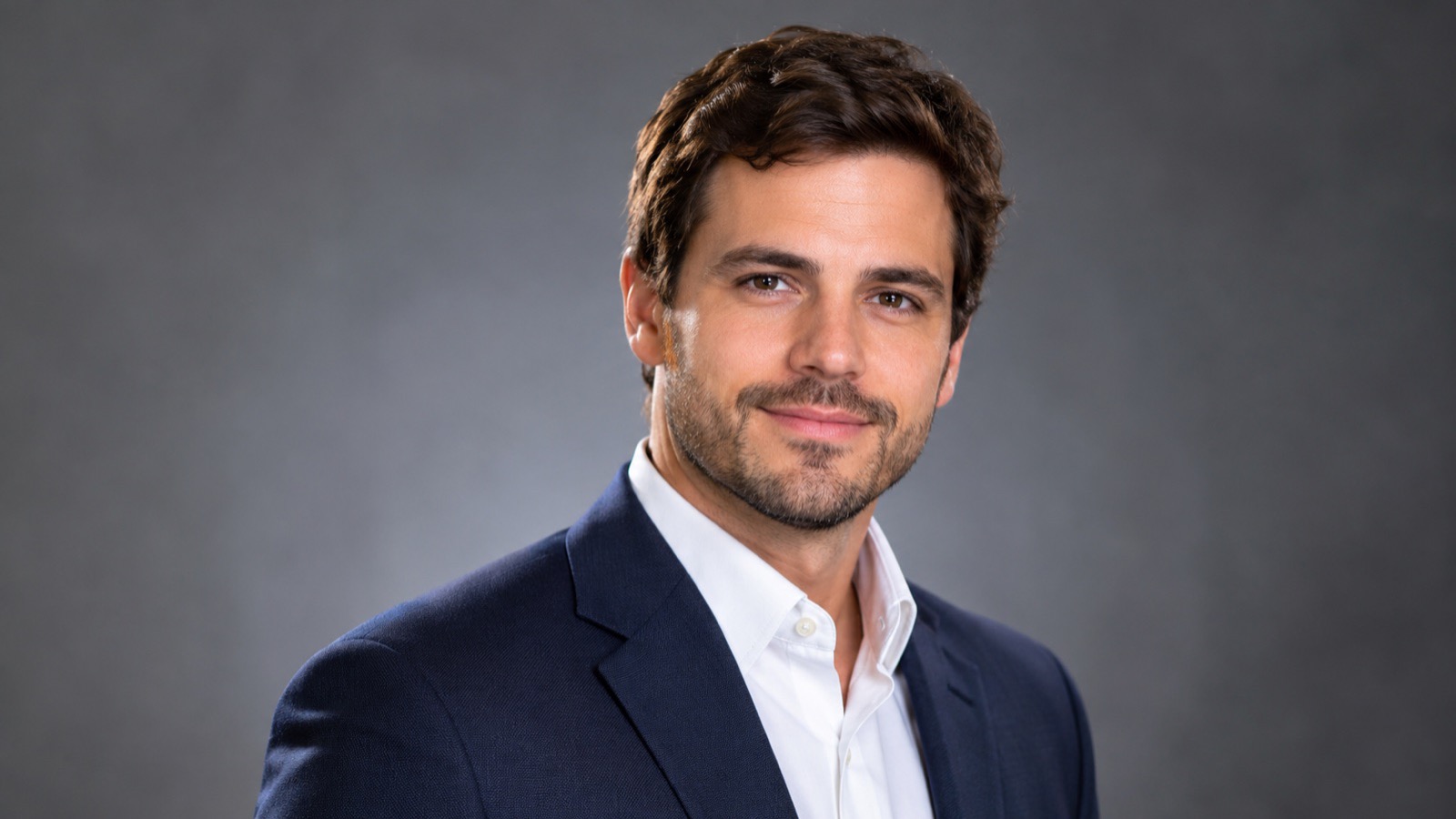
Quick answer
The hard part is not the suit or the background; it is keeping the person recognizable. Image models often smooth skin, change the jawline or make the subject look younger. The prompt below protects identity and asks for natural skin texture. Compare the result with your source photo before you use it on a profile where people need to recognize you.
What this tool does
Creates a studio look
Replaces a messy background and flat phone lighting with a clean corporate portrait setup.
Keeps the person recognizable
A strict identity clause protects the face, age, skin tone and proportions.
Produces a usable profile image
Head-and-shoulders framing works for LinkedIn, a résumé, a team page or a speaker bio.
How to use the AI Headshot Generator
1. Pick a strong source photo
Use daylight, a front-facing expression, no sunglasses and no heavy beauty filter. A plain wall behind you is ideal.
2. Describe the job, not a celebrity
Name the clothing, background and mood. Avoid asking for a specific person’s face or a trademarked uniform.
3. Check the likeness
Compare eyes, nose, jaw, hairline and skin texture. If the result looks like a relative, regenerate with a simpler prompt.
Prompt recipe
This is the preset behind the example. Apply it to the editor below, or copy it into your own model. Change one detail at a time so you can tell what helped.
Turn this photo into a professional corporate headshot. Head and shoulders, facing the camera, confident neutral expression, navy blazer, soft grey studio backdrop, soft key light with subtle rim light, natural skin texture. Preserve the person’s exact facial identity, age, skin tone, hair and body proportions. No text, logos or watermark.Try it in the real editor
Upload a photo, apply the preset and press Generate. The editor shows the current credit cost before anything runs. Results vary by source photo and model; check the face, hands and fine edges before you use the output.
What it does well, and where it stops
- Identity can drift. AI headshots often smooth skin and change subtle facial features.
- It is not a real event photo. Do not use it to imply you attended something you did not.
- Some employers and platforms have rules about AI-generated profile photos. Follow them and disclose when required.
Who it is for
LinkedIn and résumés
Create a clean, consistent portrait when you do not have a recent professional photo.
Team and speaker pages
Give a distributed team a consistent studio look without flying everyone to one studio.
Personal branding
Test a clothing and background direction before booking a real shoot.
Frequently asked questions
- Will the AI headshot look like me?
- It should, but identity drift is the main risk. Compare the eyes, nose, jaw, hairline and skin texture with your source photo. If it looks like a sibling, regenerate.
- How many photos do I need?
- One clear, front-facing photo is enough to start. More angles can help a multi-image model, but a single sharp photo often produces a usable result.
- Can I use an AI headshot on LinkedIn?
- LinkedIn allows professional profile photos, but your employer or platform may have disclosure rules. Use a photo that accurately represents you and do not impersonate anyone.
- Can I create a headshot for someone else?
- Only with that person’s permission. Do not upload a photo of a colleague, client or public figure without consent.
- Is it free to try?
- You can open the editor and upload a photo for free. Sign in to claim the daily preview credits; downloads and higher resolution use purchased credits.
Try the editor before you buy credits
Upload one photo and run the preset in the editor above. Sign in to claim the daily preview credits; larger runs, downloads, 2K or 4K output and saved history use purchased credits.
Related tools and guides
AI Hair Changer
Preview a new cut, color or length on your own photo before the salon.
Passport Photo Generator
Draft a passport-style portrait, then check it against official rules.
Change Photo Background
Replace a busy background with a studio, street or solid-color scene.
How to get an AI headshot that still looks like you
Read the full guide, then come back to the same editor.
All AI image tools
Compare every focused tool and choose the one that matches the job.