
EzCreate · AI image tools
Real Estate Photo Enhancer
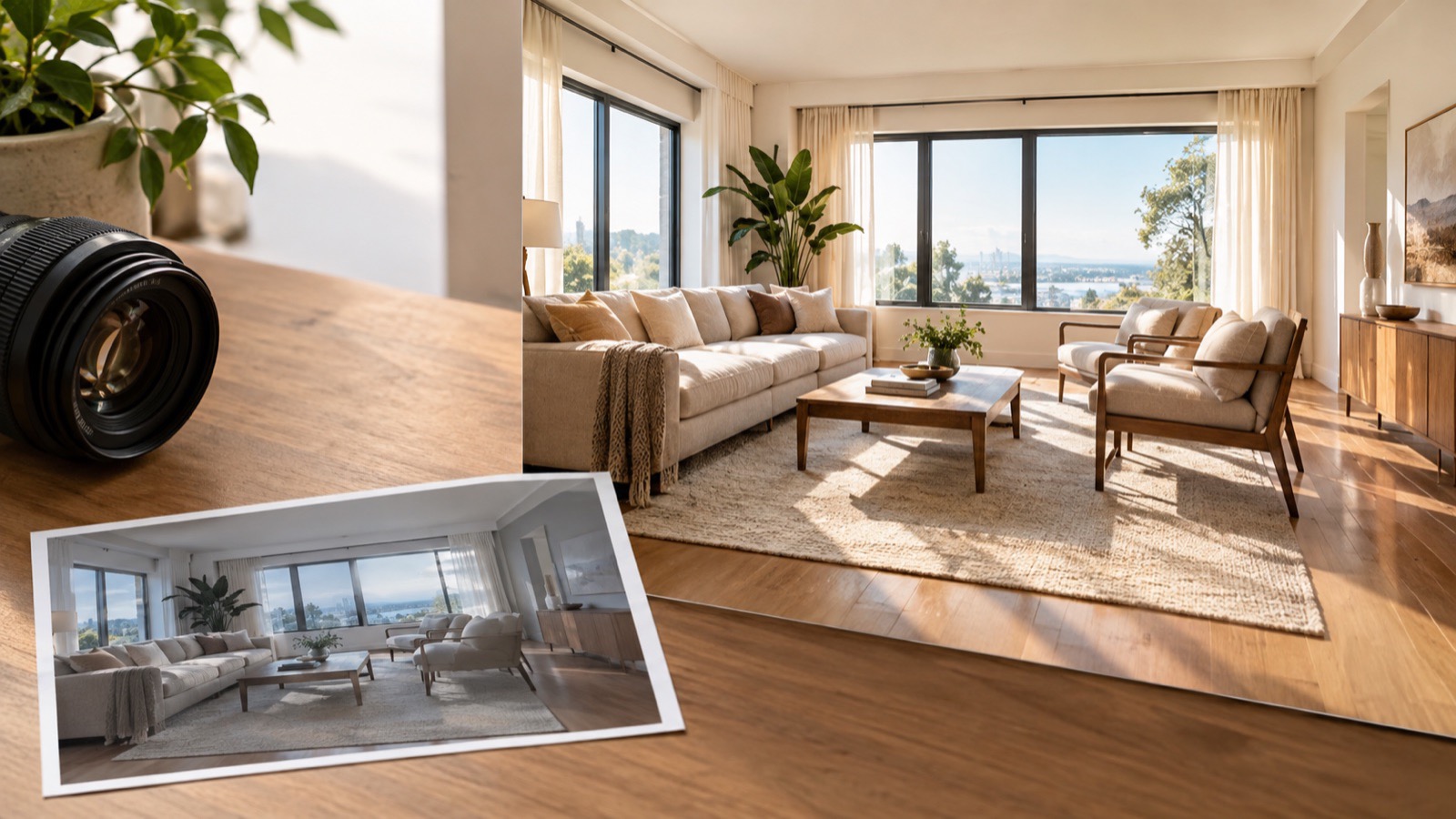
Most listing photos fail for boring reasons: the room is darker than it felt, the windows are blown out, the color is too warm and the verticals lean. Those are exactly the problems a careful AI pass can fix. A good real-estate edit makes the room look the way a buyer would see it on a bright day, without changing what is actually for sale.
- Safe edits: exposure, white balance, verticals, lens correction and natural shadow recovery. Unsafe edits: removing defects, changing the layout or adding furniture.
- Check your local MLS, brokerage and disclosure rules before delivering an edited photo.
- Keep the original file and be ready to explain every edit to the seller and buyer.
You can open the editor for free and start with a photo or a prompt. Sign in to claim the daily preview credits; downloads and higher resolution use purchased credits.
Quick answer
The prompt below protects the layout, materials and view while lifting shadows and balancing highlights. It is deliberately conservative. If a wall has a stain, a ceiling has a crack or a room has a strange layout, those facts should stay in the photo. Misrepresenting a property can create legal and contractual problems, and AI makes that easier to do by accident.
What this tool does
Recovers dark interiors
Lifts shadow detail in corners and under furniture while keeping the window view from turning into a white rectangle.
Corrects color and verticals
Neutralizes yellow interior bulbs and leaning walls so the room reads as clean and professional.
Keeps the property honest
A conservative prompt protects the layout, materials and view, which is both an ethical and a practical requirement.
How to use the Real Estate Photo Enhancer
1. Shoot the best source you can
Use a wide lens, a tripod and several exposures if possible. AI improves a good photo; it cannot reconstruct a room that was never properly captured.
2. Apply a conservative edit
Run the preset, then compare the result with the original. Reject any version that moves a wall, removes a fixture or changes the view.
3. Document and deliver
Keep the original, note the edits and follow your MLS or brokerage disclosure rules. Deliver a file size that matches the listing platform.
Prompt recipe
This is the preset behind the example. Apply it to the editor below, or copy it into your own model. Change one detail at a time so you can tell what helped.
Enhance this interior real-estate photograph. Straighten vertical lines, lift shadows, balance window highlights, correct white balance and make the room look naturally bright and spacious. Preserve the actual layout, furniture, materials and view. Do not add or remove structural features, furniture or outdoor scenery. No text or watermark.Try it in the real editor
Upload a photo, apply the preset and press Generate. The editor shows the current credit cost before anything runs. Results vary by source photo and model; check the face, hands and fine edges before you use the output.
What it does well, and where it stops
- Do not remove structural defects, stains, cracks or nearby nuisances. That can mislead buyers and violate listing rules.
- AI can bend straight lines or invent window views. Check every edge at full size.
- It is not a virtual staging tool. Adding furniture changes what is being sold and should be labeled clearly if a platform allows it.
Who it is for
Listing photo cleanup
Fix exposure and color before a property goes live, without changing the room.
Rental and short-stay photos
Make a dim apartment look inviting while keeping the actual furniture and layout.
Agent and photographer workflow
Use AI for a first pass, then finish critical verticals and lens correction in a dedicated editor.
Frequently asked questions
- Is AI photo editing allowed for real estate listings?
- It depends on your MLS, brokerage and local disclosure rules. Exposure and color correction are common; removing defects or changing the property is not. Ask your compliance contact before publishing.
- Can it remove a car or a trash can from the driveway?
- It can, but removing real objects can misrepresent the property. Use object removal only for temporary, irrelevant clutter and follow your listing rules.
- Can it fix blown-out windows?
- It can recover some detail, but if the window is pure white in the source there is no detail to recover. A bracketed exposure is the better fix.
- Does it work on phone photos?
- Yes, but a phone photo has less dynamic range and more noise. The result is usually better than the original and still not a substitute for a proper interior shoot.
- Is it free to try?
- You can open the editor and upload a photo for free. Sign in to claim the daily preview credits; downloads and higher resolution use purchased credits.
Try the editor before you buy credits
Upload one photo and run the preset in the editor above. Sign in to claim the daily preview credits; larger runs, downloads, 2K or 4K output and saved history use purchased credits.
Related tools and guides
Change Photo Background
Replace a busy background with a studio, street or solid-color scene.
Remove an Object From a Photo
Erase a distraction and rebuild the background with matching texture.
AI Image Extender
Add room around a tight photo for a banner, print or social crop.
What is safe to edit in a real estate photo
Read the full guide, then come back to the same editor.
All AI image tools
Compare every focused tool and choose the one that matches the job.